Schwab Withdrawal to LINE Bank: Wire Fee as Low as TWD$50!
2026-05-09
My first Schwab withdrawal to Taiwan (via LINE Bank).
This was recorded in May. There seems to have been a UI update in June, so some fields may look slightly different — but the flow is mostly the same.
- Wire fee: TWD 50 per transfer (regular price TWD 300;
— no extension announced yet...)
- If your total Schwab assets exceed USD 100,000, you get 3 fee-free outgoing wires per quarter (waiving the USD 15 wire fee) — so your total cost is just TWD 50!!
- Arrival time: typically 2–3 hours on business days; fastest test result was about 1 hour
- After USD arrives, you can settle to TWD directly in the LINE Bank app
Step 1: Prepare the recipient details
Get your foreign-currency receiving details from LINE Bank:
-
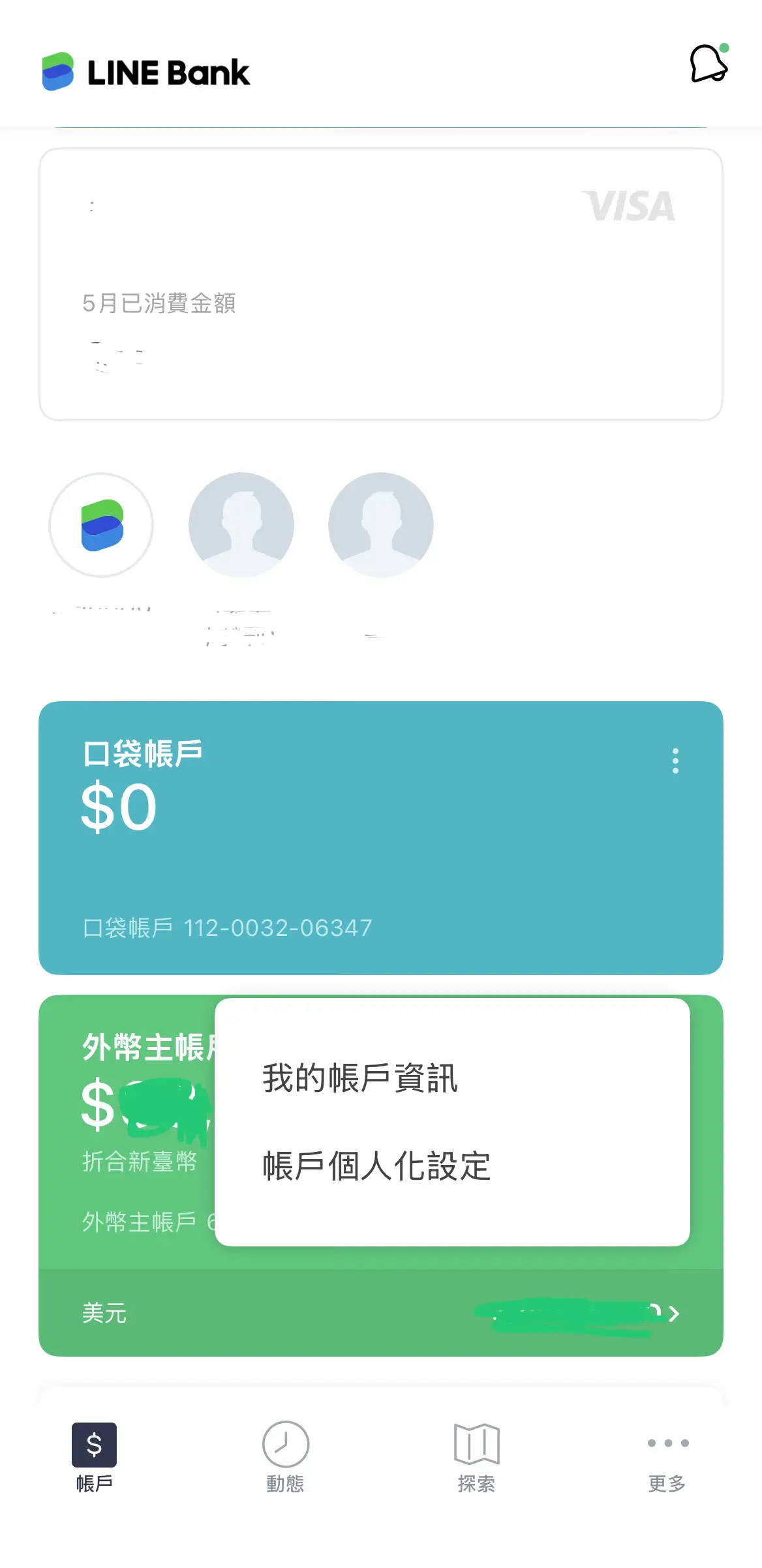
On the FX account home screen, tap the three-dot icon → My Account Info
-
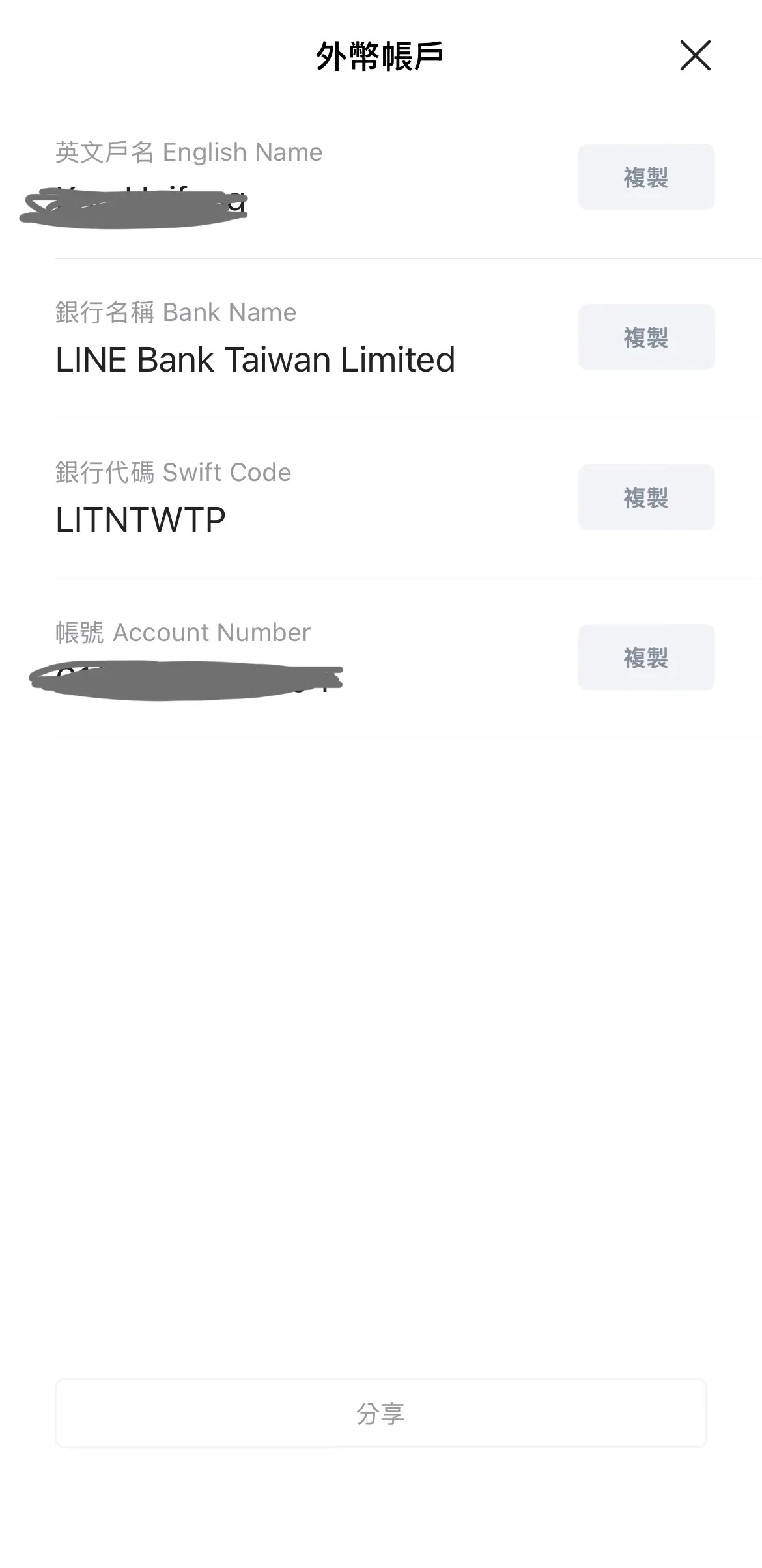
Save your English account name and account number
Step 2: Submit the wire request in Schwab
1. Log in to Schwab
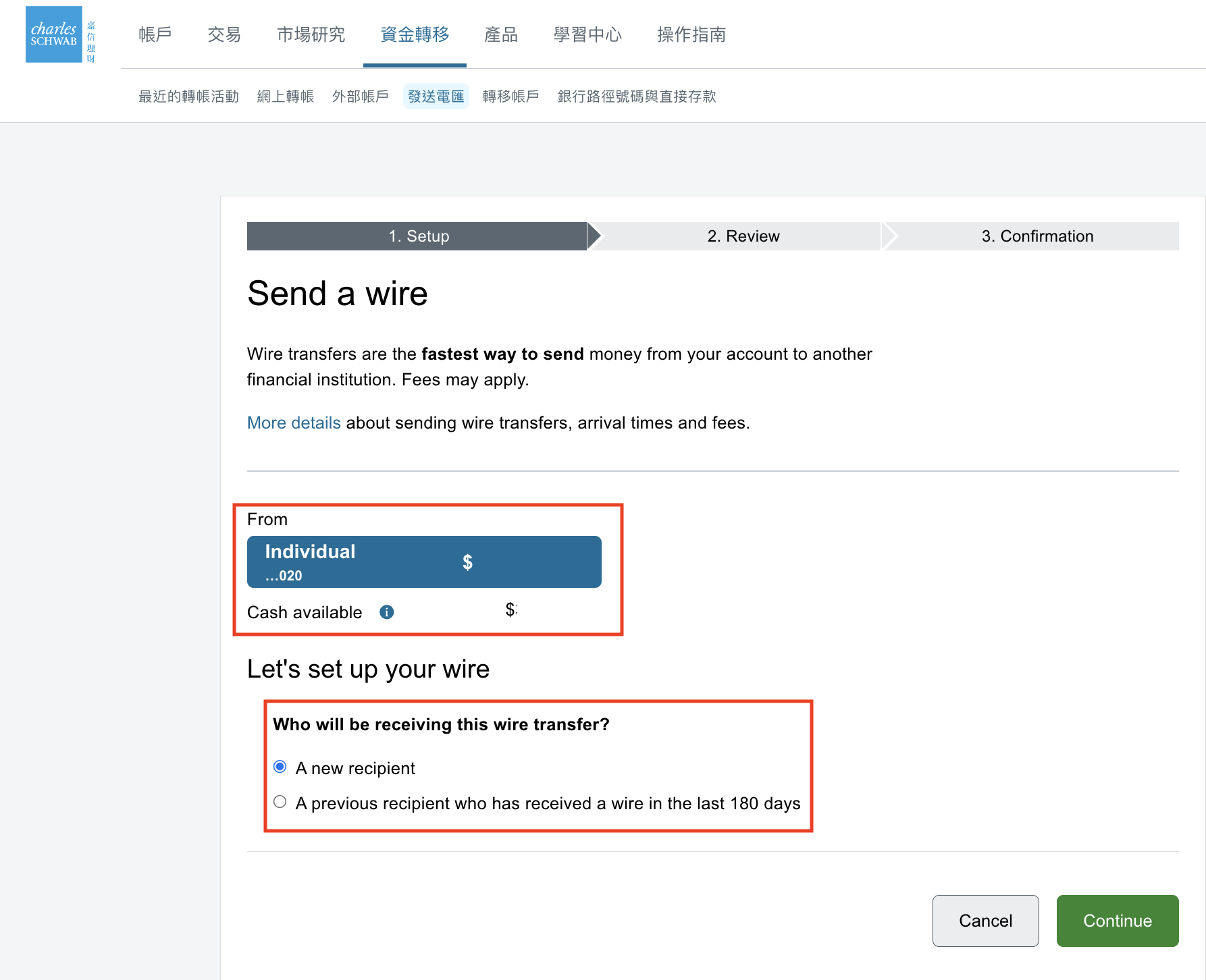
2. Go to Transfers → Send Wire
3. Fill in the basic transfer info
-
Select the source account. If this is your first withdrawal, choose New Recipient
-
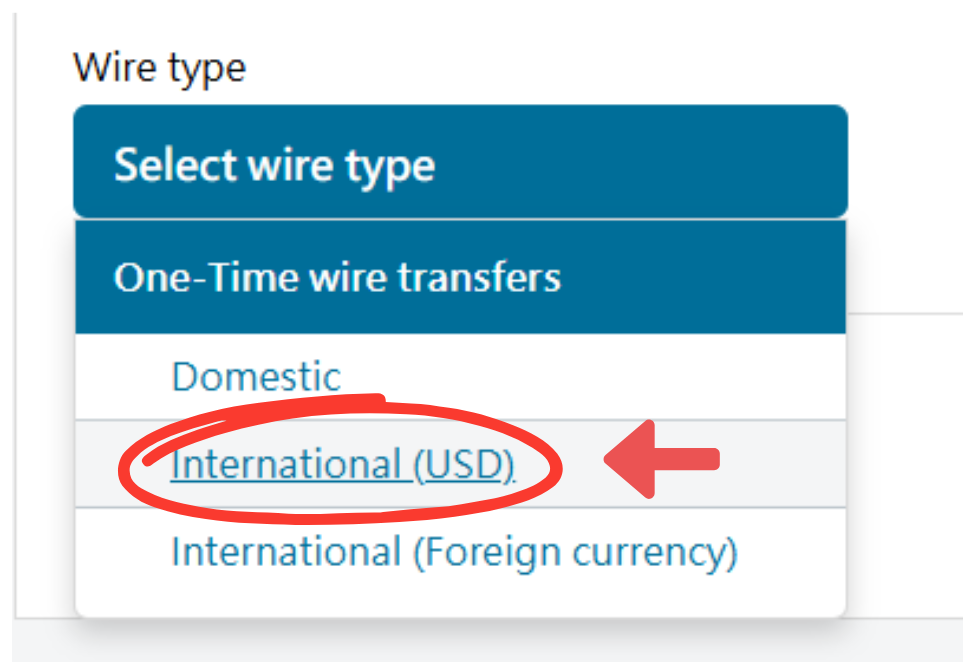
Choose USD as transfer currency
Reference image: https://www.dryhc.com/2024/12/charles-schwab-line-bank.html
-
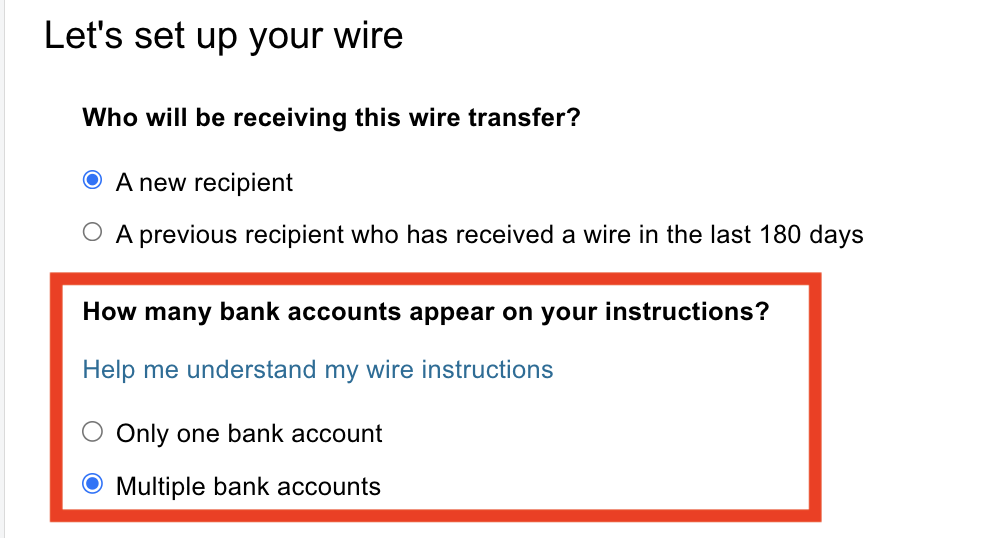
For intermediary setup, select the option for multiple bank accounts
This is an easy place to get stuck. LINE Bank requires an intermediary route, so this option is necessary.
-
Enter your withdrawal amount (remember Schwab's USD 15 outgoing wire fee)
-
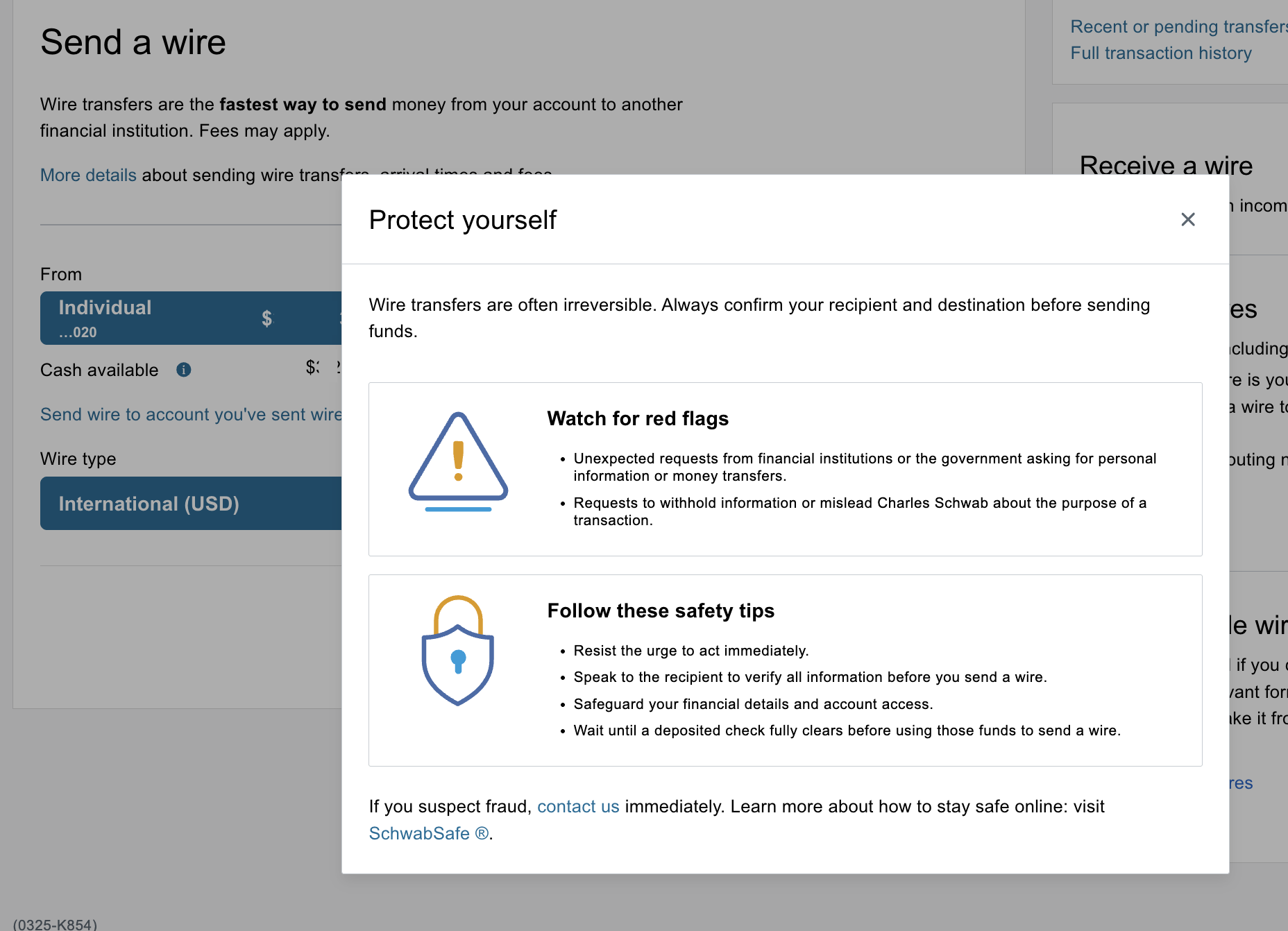
Close the reminder popup after confirming
4. Fill intermediary bank details
Check the latest USD intermediary info inside LINE Bank:
-
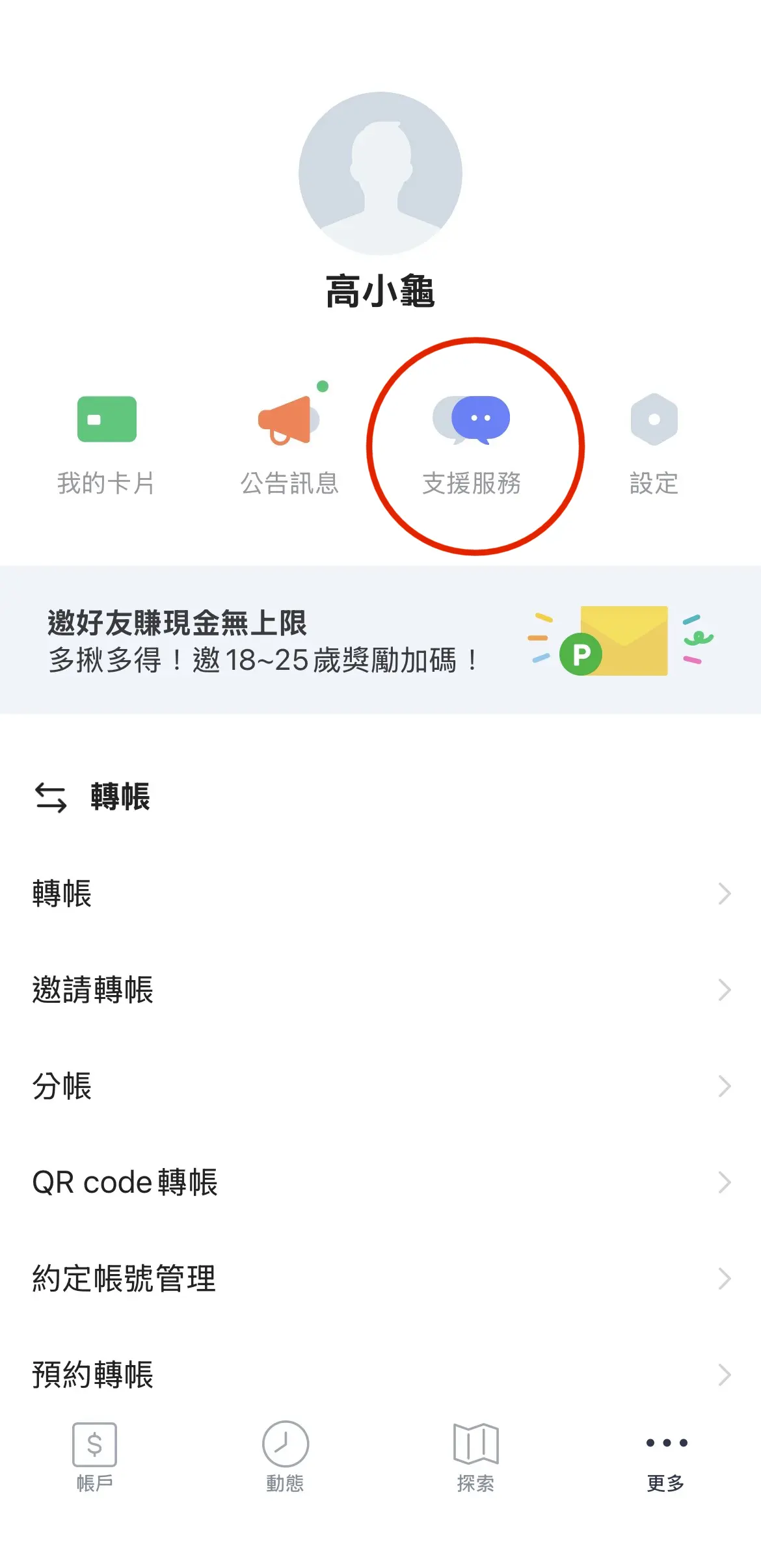
More → Support
-
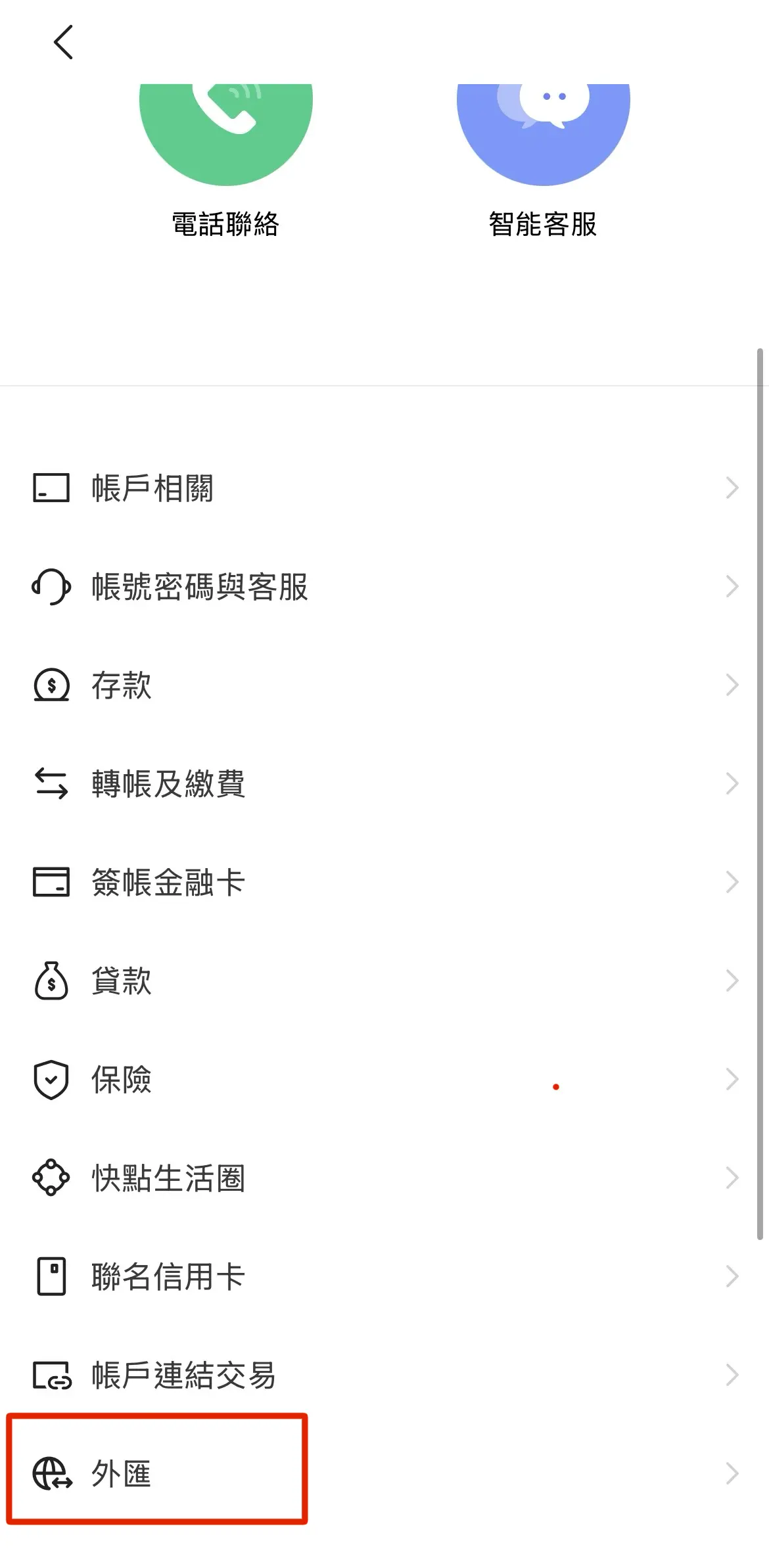
Support Services → Foreign Exchange
-
Find the USD intermediary bank details
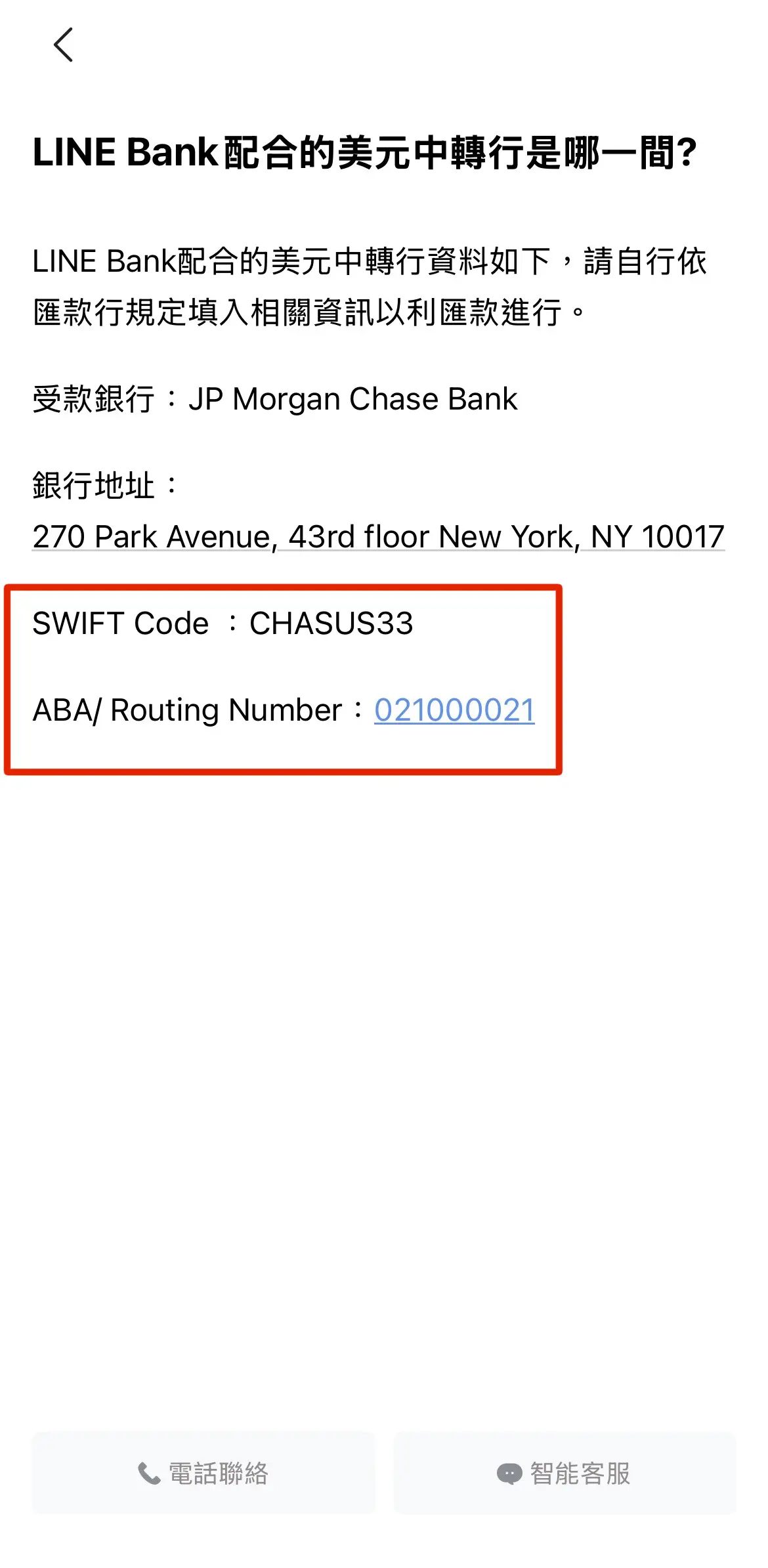
Another common blocker: SWIFT may fail with
This SWIFT/BIC is currently not available to receive USD wires.
Using ABA/Routing Number worked.
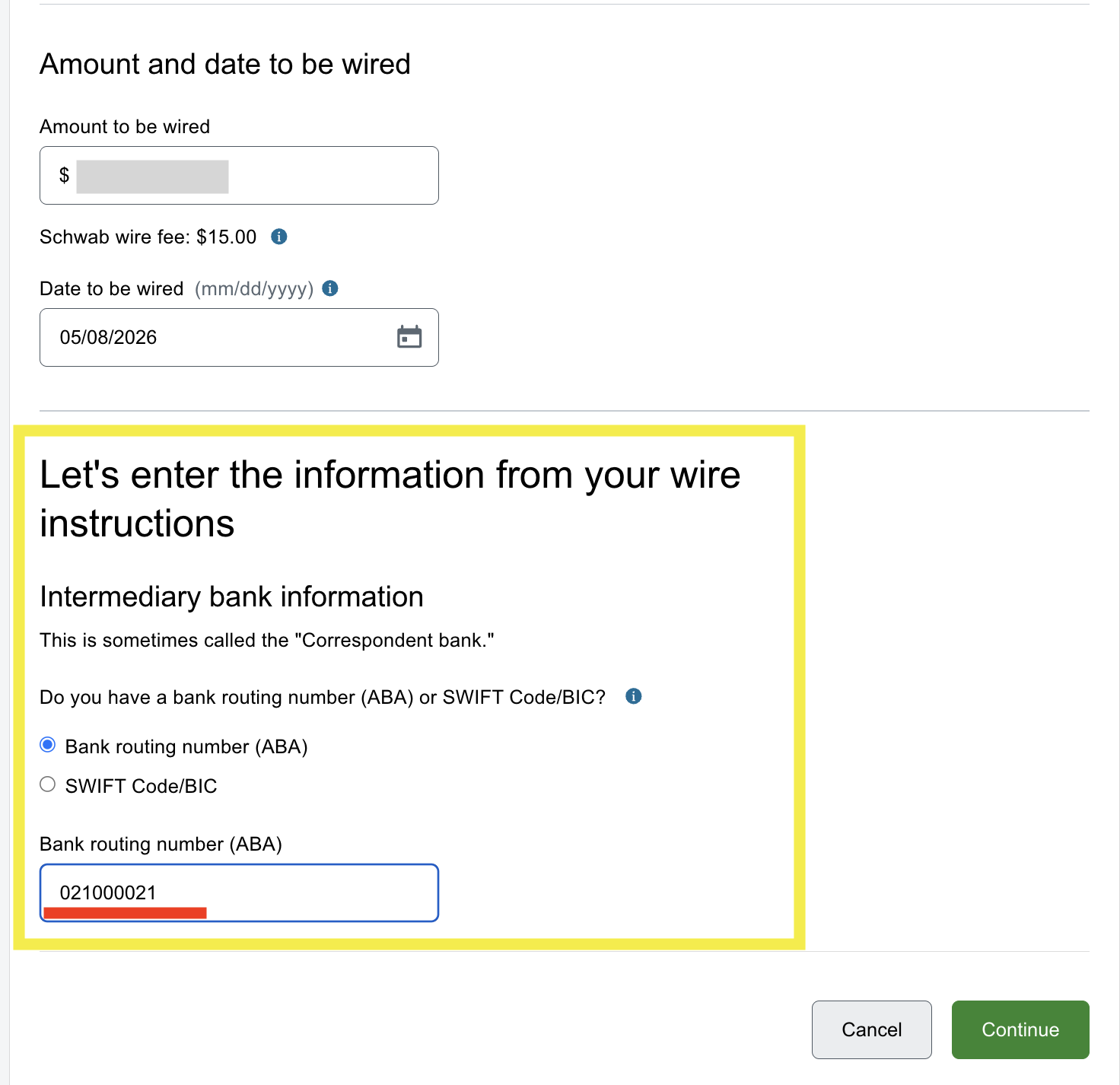
Tested on 2026/05/08 with ABA routing number: 021000021.
5. Fill recipient bank info
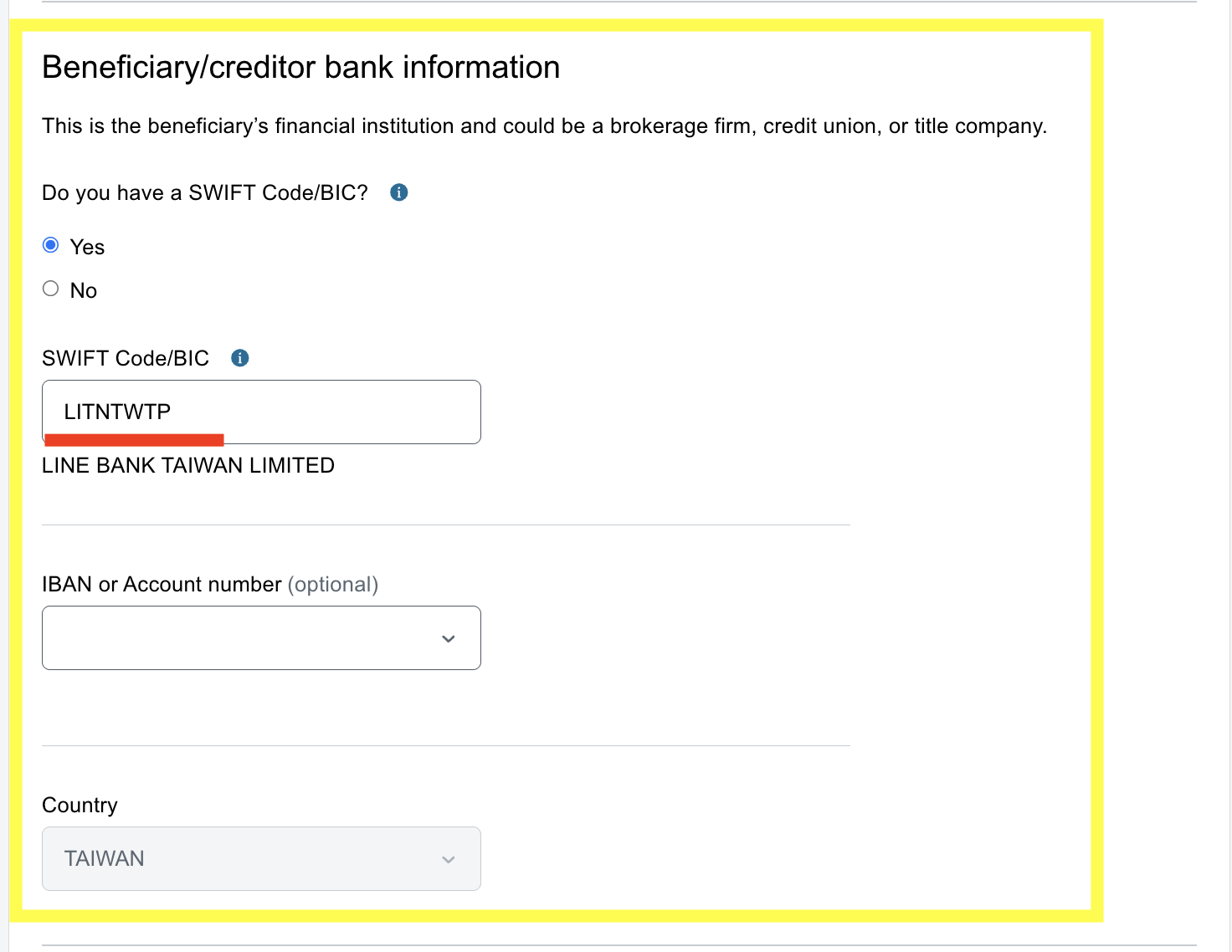
- LINE Bank SWIFT: LITNTWTP
- IBAN or Account number: leave unselected
6. Fill recipient personal details
Use the account details from Step 1:
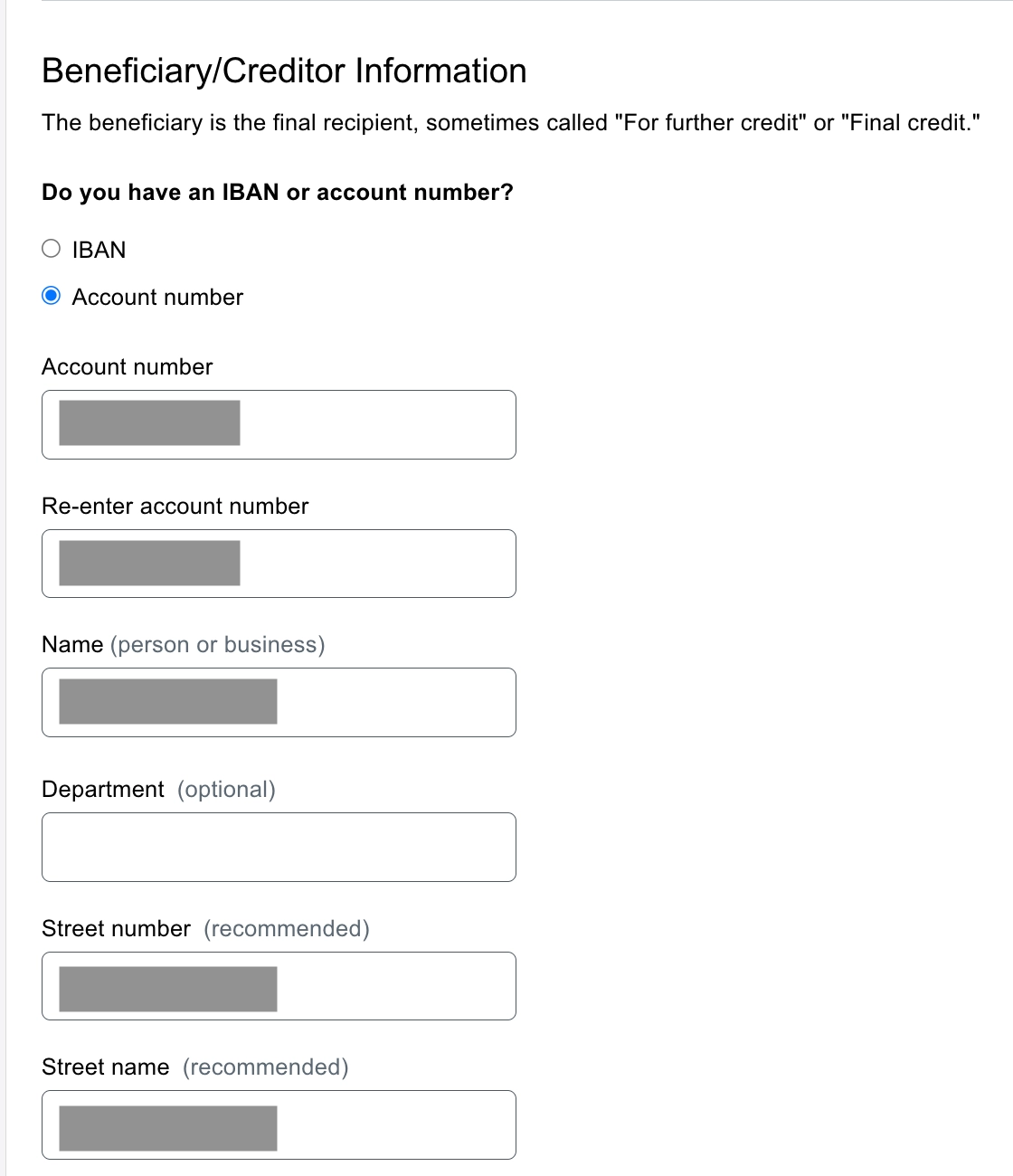
- Account number (double-check — remove any hyphens)
- Account name: must exactly match your LINE Bank profile (including capitalization and punctuation). This field cannot be pasted — type it manually.
- Address should match your original account profile as closely as possible
To check your registered address: click your profile icon on the Schwab website → Contact Information.
Although there are multiple fields, they get combined, so filling instreet numberandStreet nameis enough.
Ifstreet numberhas a character limit, put the building number and unit there, and put the rest inStreet name.
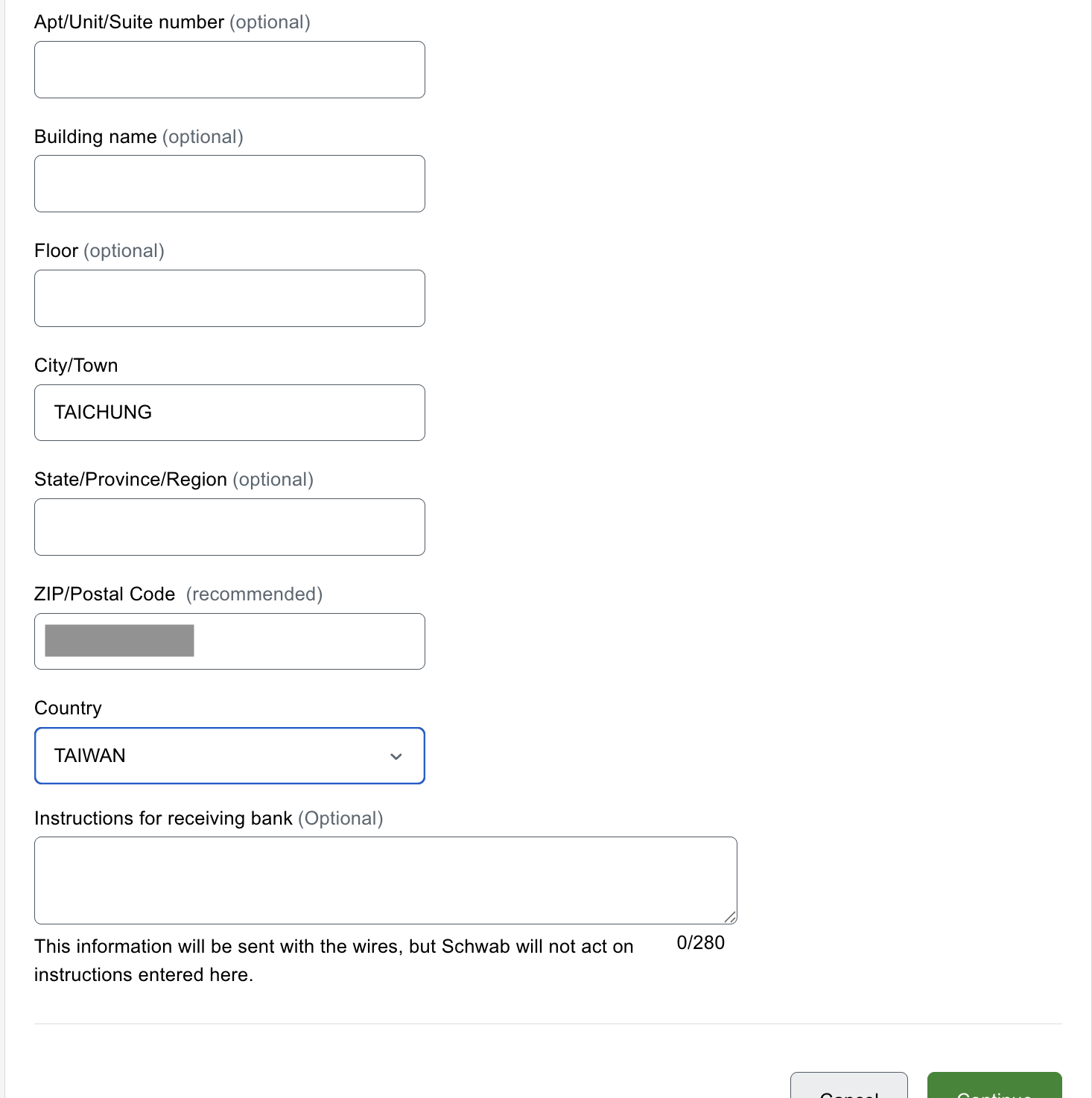
- Optional fields can be skipped
- Fill city and postal code
- Select country
7. Final confirmation and verification
-
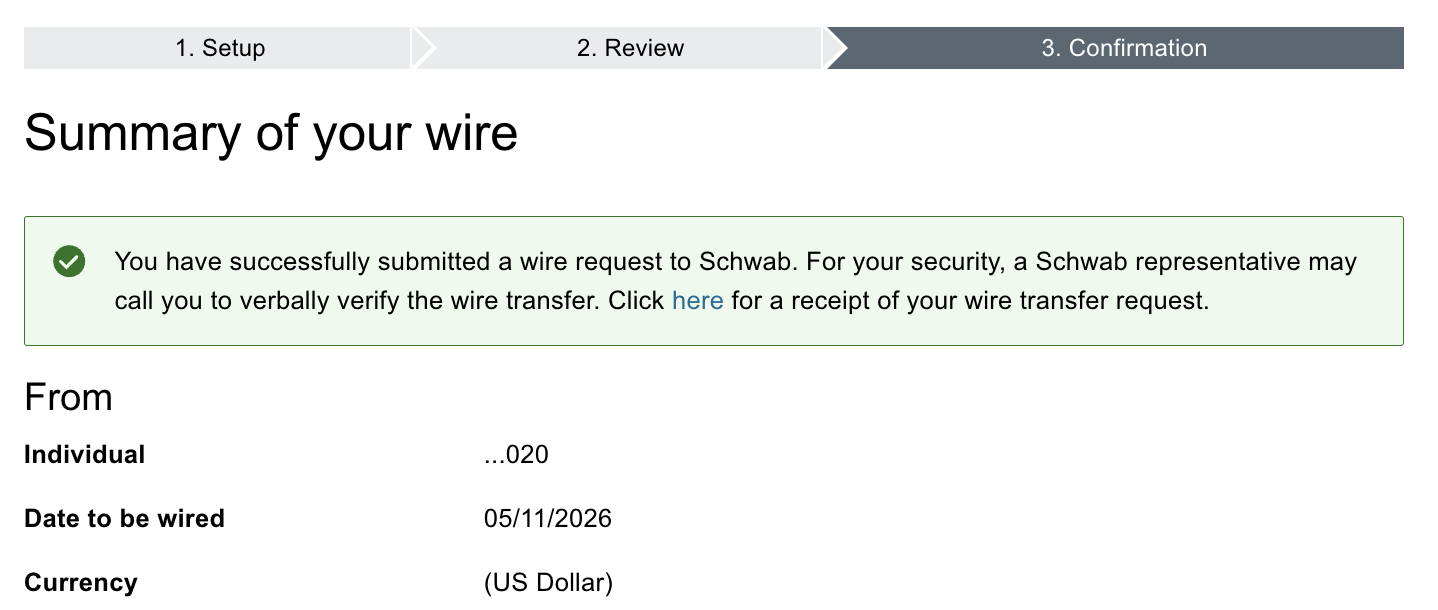
Complete SMS verification, then you should see a successful submission page
-
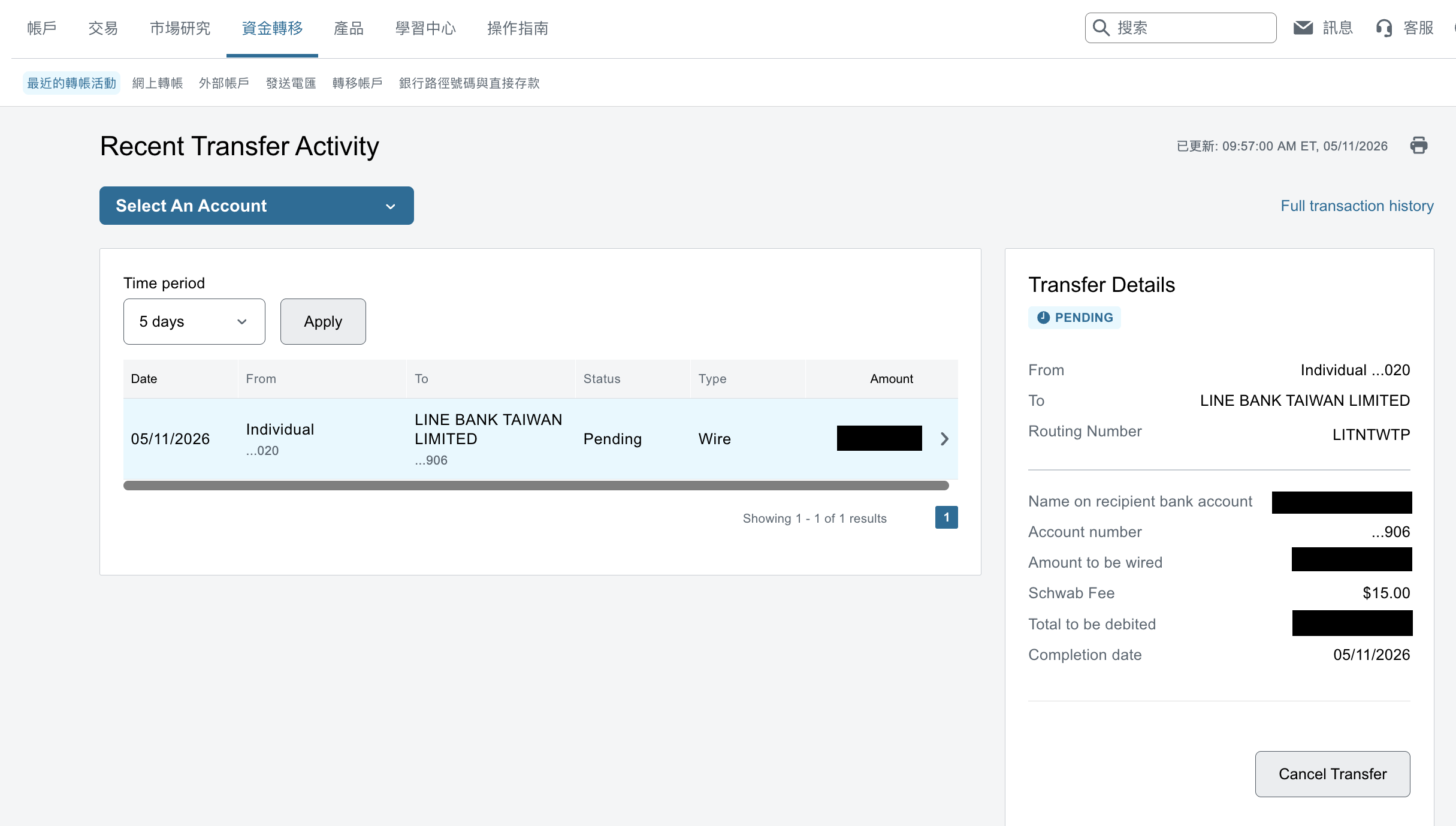
Track wire status (and cancel if needed) on the Schwab transfer activity page
-
After U.S. business hours start, status usually changes from Pending to Completed
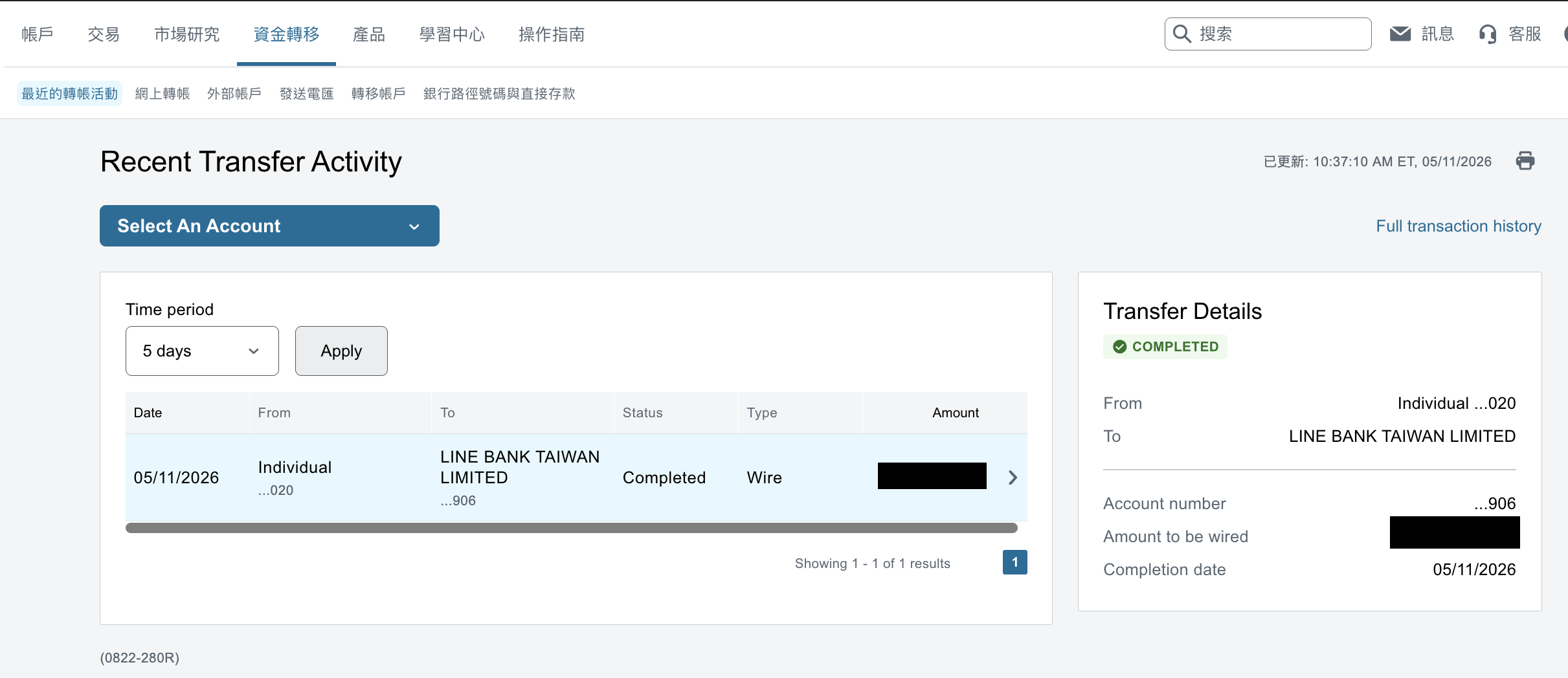
Real timeline (2026/05/11)
- 21:53: Submitted in Schwab (Pending)
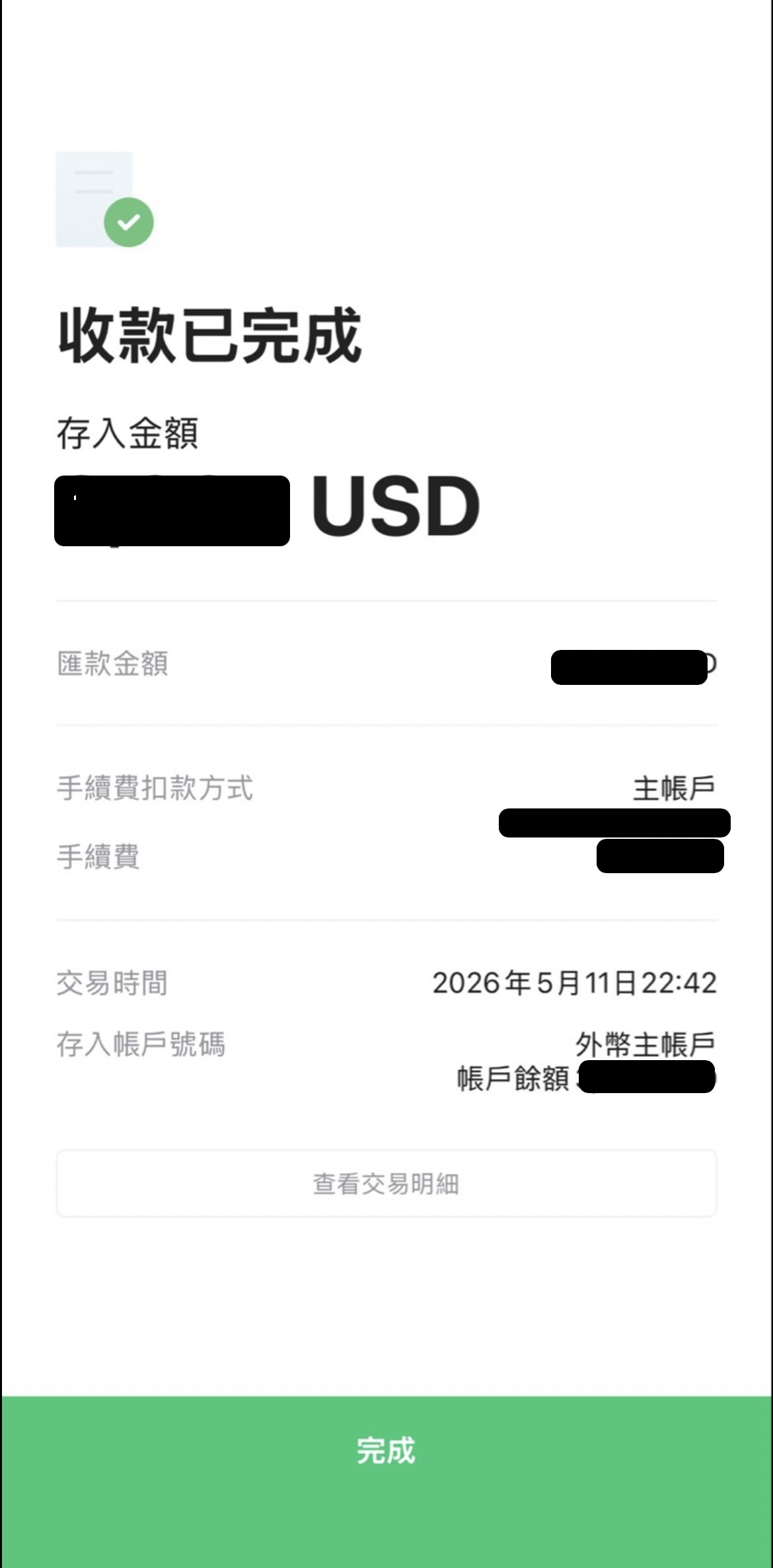
- 22:37: LINE Bank app notification received; Schwab showed Completed
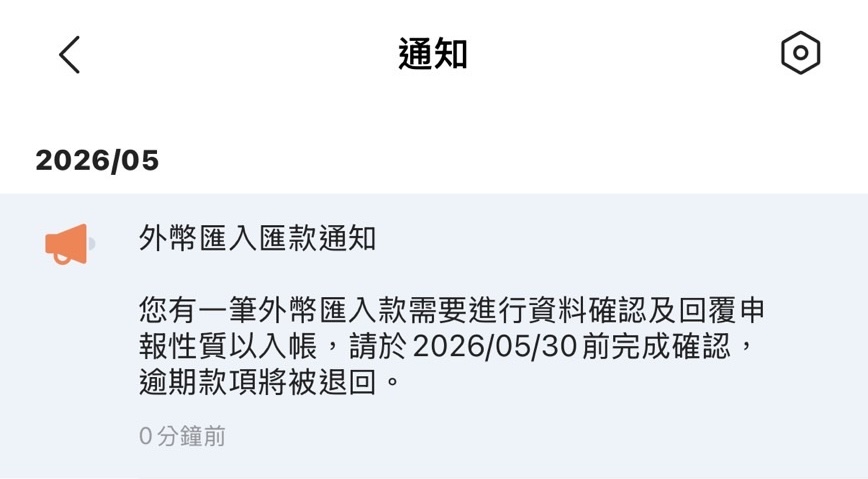
- 22:42: Funds arrived (under 1 hour). Total cost roughly USD 15 + TWD 50
LINE Bank inbound confirmation flow:
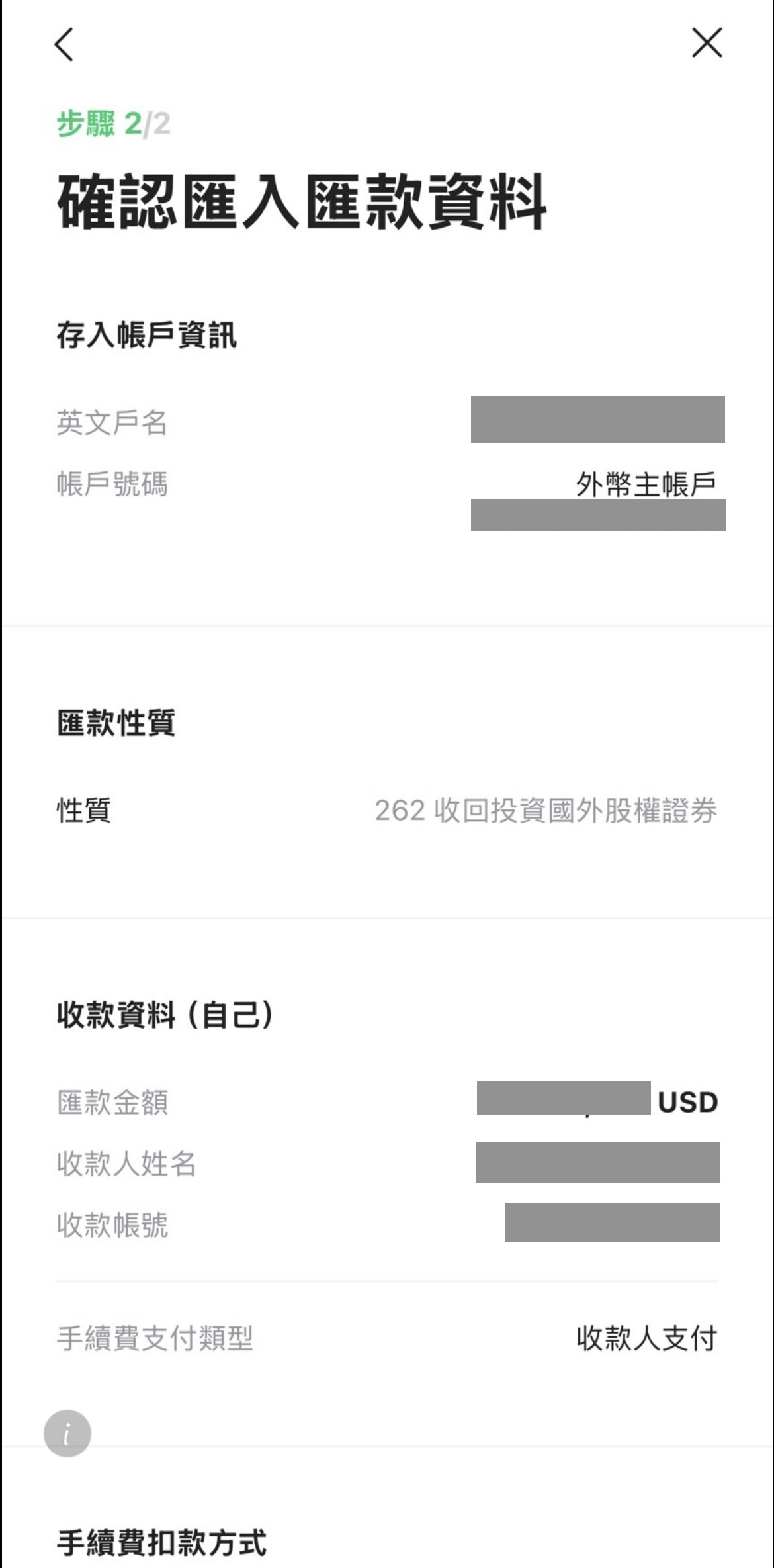
- Tap Receive funds, then choose transfer purpose code
262
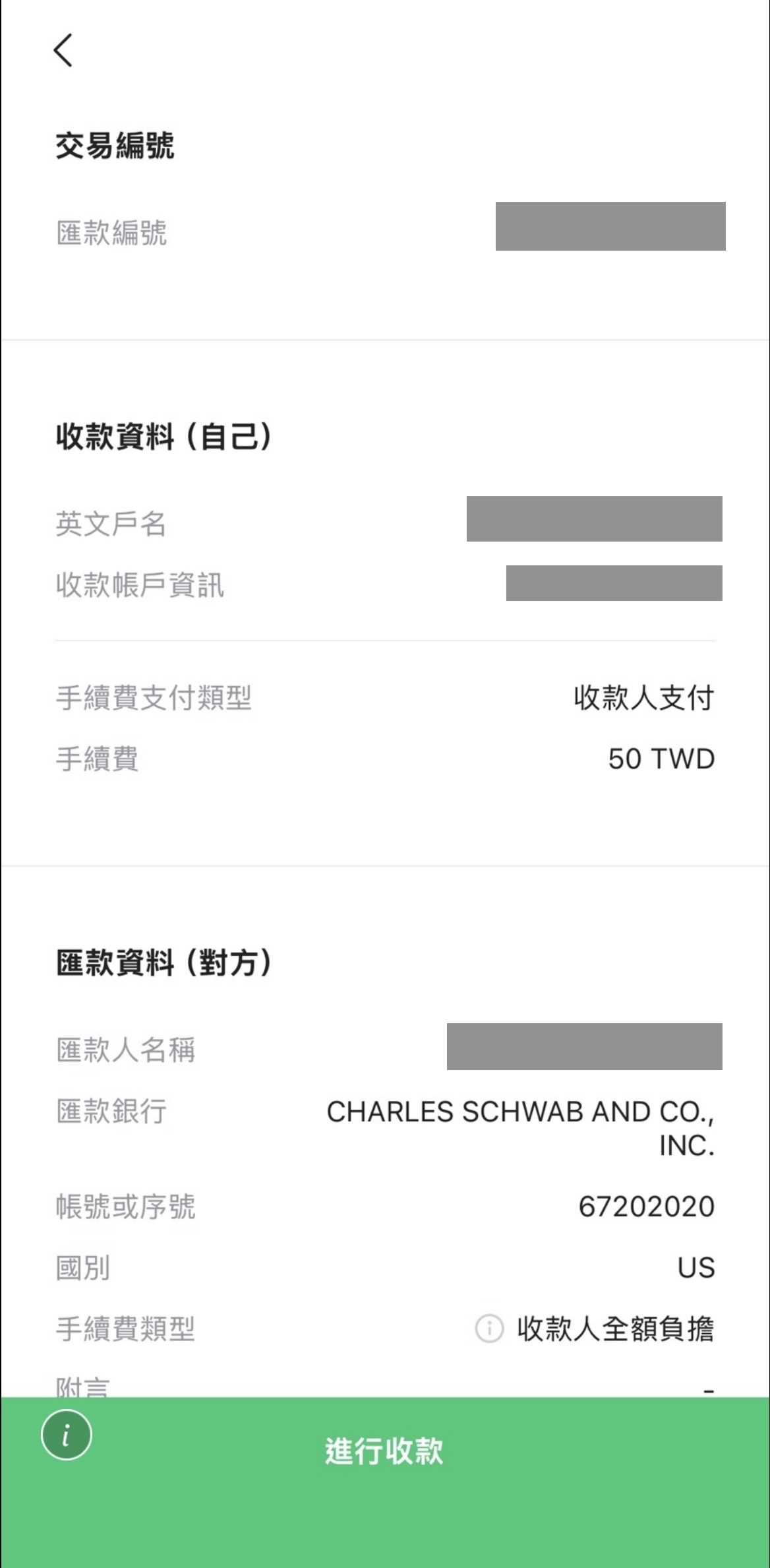
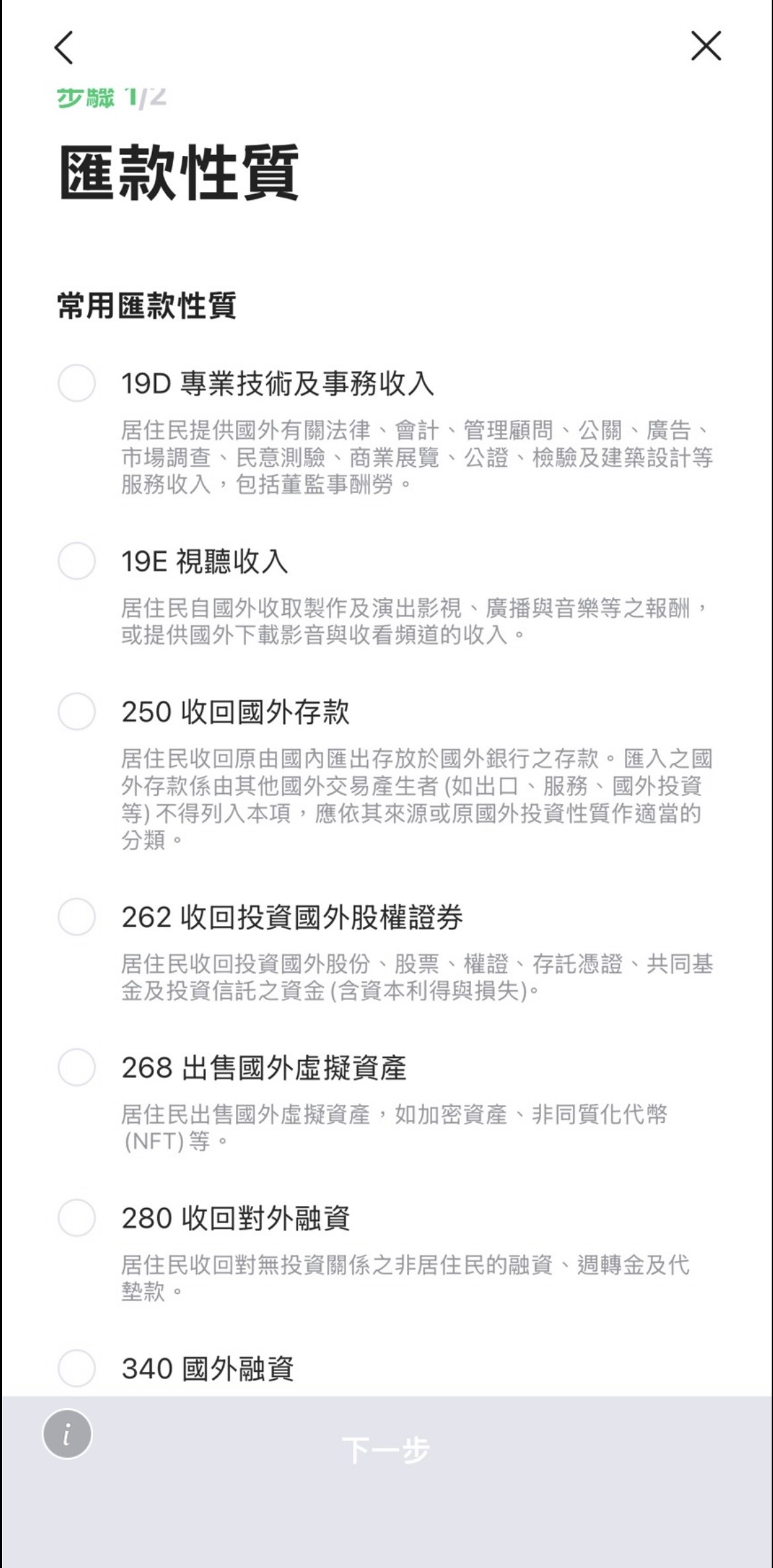
- Confirm declaration and fee payment method
Recommended: pay fee from your TWD account to reduce extra FX spread
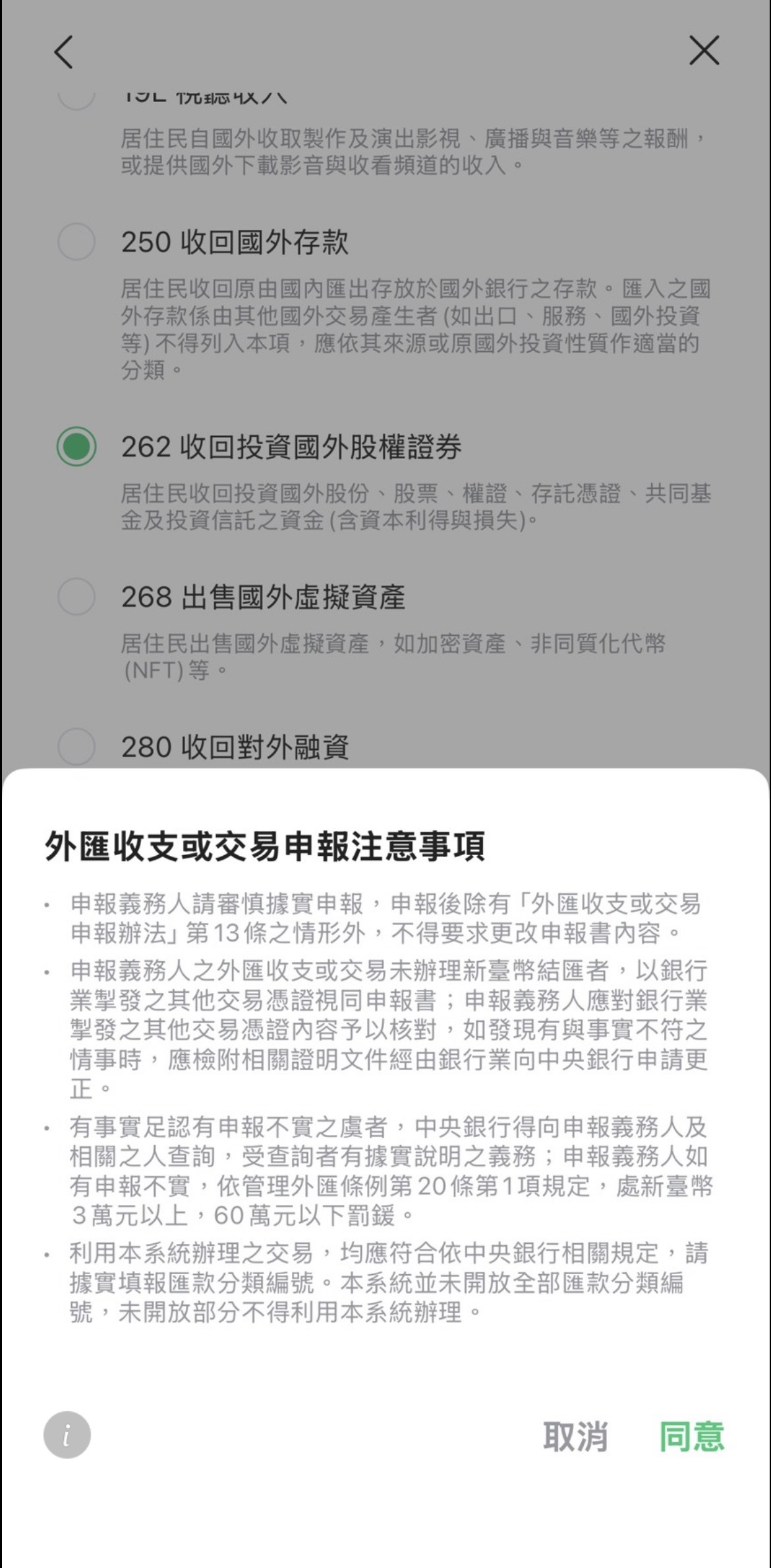
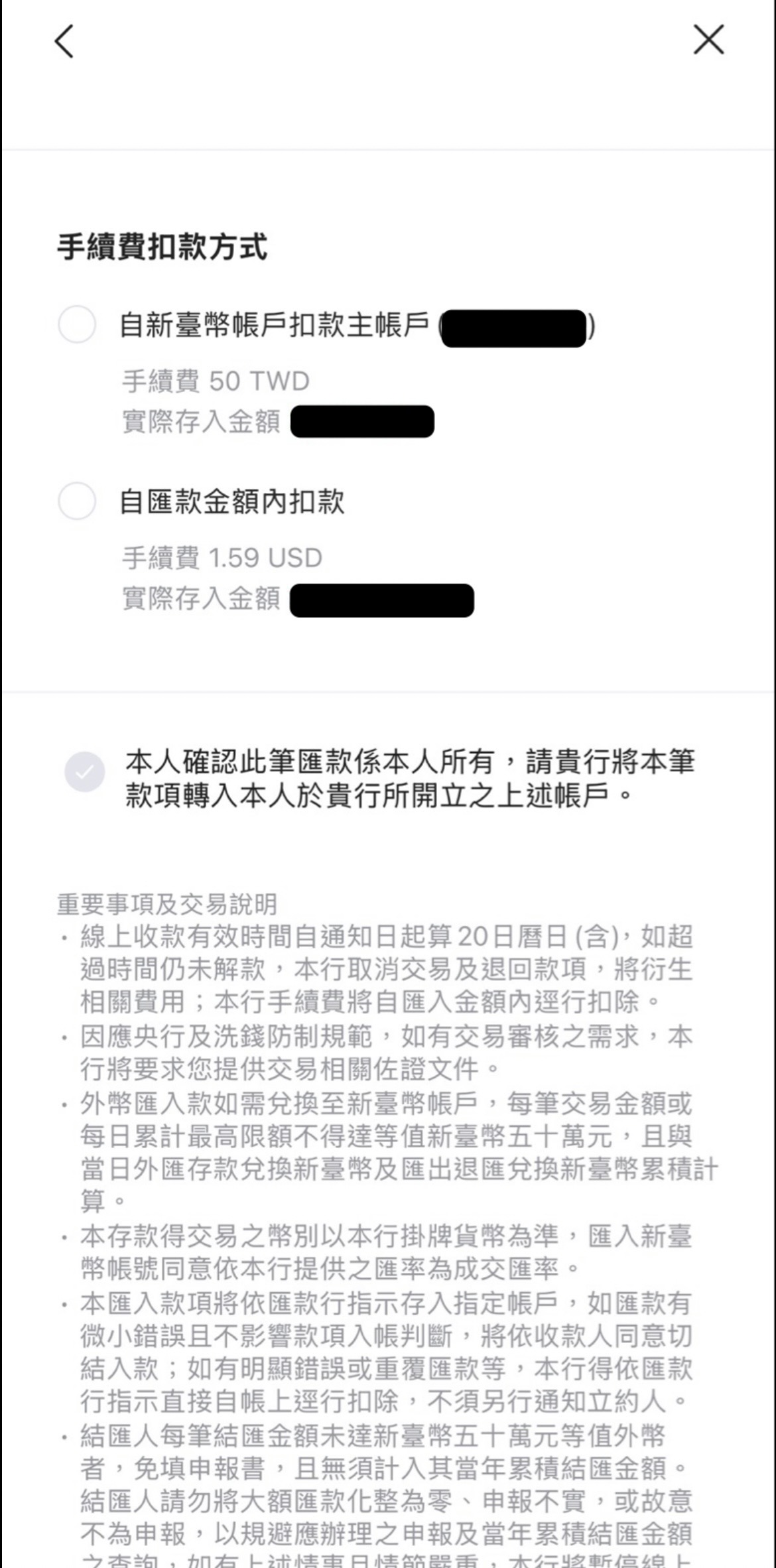
- Review transfer details and complete final confirmation
Real timeline (2026/06/15)
- 23:45: Submitted in Schwab (Pending)
- 00:12: Debit already visible in transaction history (Wire Sent: WIRED FUNDS DISBURSED)
- 00:22: Schwab status changed to Completed
- 00:48: LINE Bank app notification received — must confirm receipt within the deadline
Withdrawal on 6/15; confirmation deadline is 7/5. If you miss it, the funds will be returned and the wire fee will not be refunded.